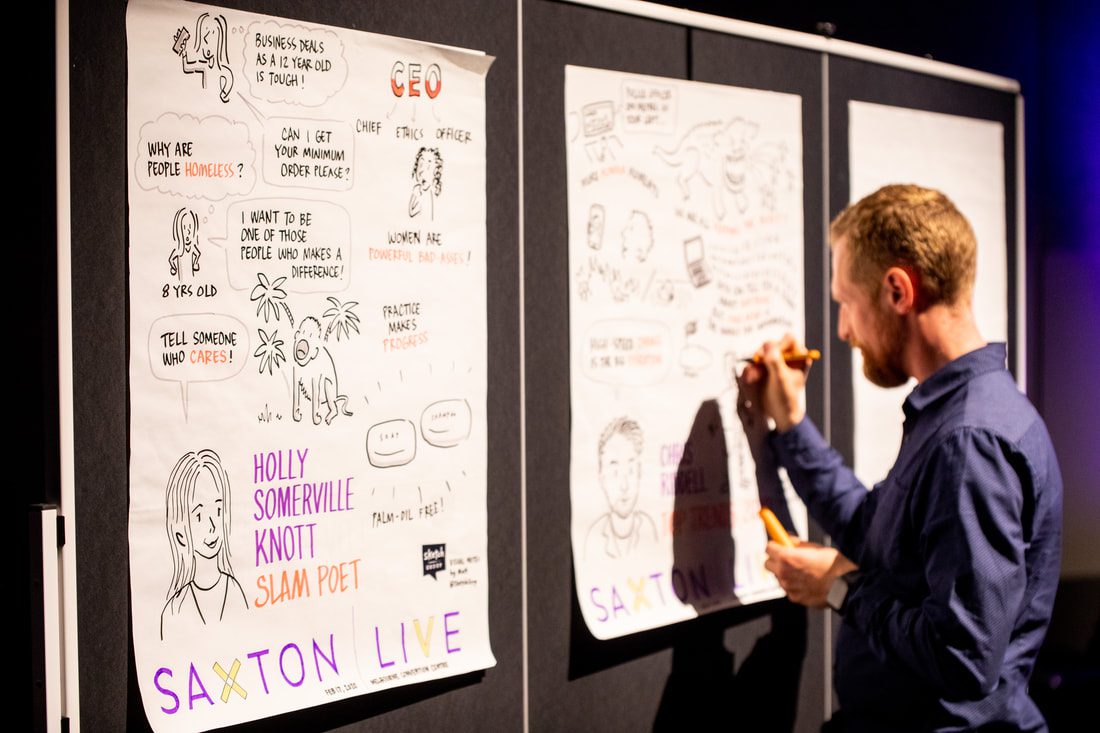
Meetings end, but the real work begins when everyone scrambles to recall action items or key decisions from scribbled notes. Sound familiar? Visual summaries fix that chaos by transforming raw notes into mind maps, infographics, or timelines that anyone can grasp instantly. No more endless emails or forgotten follow-ups. With AI and simple tools, you can create these in minutes, boosting team productivity and retention. Studies show visuals increase memory recall by up to 65% compared to plain text, making your notes not just shared, but remembered and acted on. Let’s explore how to make this a game-changer for your workflow.
Why Visual Summaries Work Better
Raw notes bury insights under bullets and jargon. Visuals organize chaos into patterns: mind maps branch ideas from central topics, flowcharts map decisions, infographics highlight stats. Research confirms visuals convey complex info six times faster, with 42% higher retention for diagrams over lists.
Teams waste hours recapping meetings; visuals cut that by clarifying priorities upfront. Remote work amplifies this, as 67% more meetings now happen virtually, demanding shareable formats. Engineers see 3.7 times productivity from summaries, sales reps save opportunity costs by focusing on selling, not reviewing.
Capture Notes Effectively First
Great visuals start with solid notes. Use AI recorders like Otter.ai or Fireflies for transcripts, capturing speakers and timestamps. During meetings, jot key themes, decisions, actions.
Structure notes hierarchically: main topic, subpoints, owners/deadlines. This feeds visuals seamlessly.
Quick capture tips:
- Assign a note-taker or use auto-transcription.
- Flag actions with “TODO” or emojis.
- End with 3-minute verbal recap.
Clean notes ensure visuals shine without rework.
Choose the Right Visual Format
Match format to content. Mind maps for brainstorming, branching from core ideas with colors for categories. Infographics for data-heavy notes, icons for quick scans. Timelines for project steps, flowcharts for processes.
Figma offers note-taking mind map templates, color-coding branches for clarity. Presentations suit executive recaps.
Factors to pick:
- Audience: visuals for visuals learners.
- Purpose: action lists as checklists.
- Length: one-pager for shares.
Test formats; iterate based on feedback.
Tools to Transform Notes Fast
AI note-takers lead. Meeting.ai turns transcripts into mind maps or infographics with taglines.
Evernote organizes with AI search, Tactiq adds analytics. MeetGeek automates summaries, action items.
Pricing starts free, scales $10/month. Integrations with Zoom, Teams save clicks.
In your workflow, an AI presentation generator like Adobe Express converts notes to slides with tasks, perfect for sharing structured recaps without design skills.
Step-by-Step Creation Process
- Transcribe/upload notes to tool.
- AI summarizes: key points, actions.
- Select format: mind map via Meeting.ai.
- Customize: colors, icons, reorder.
- Add interactivity: hyperlinks, comments.
- Export/share: PDF, link, Slack.
Example: Sales meeting notes become infographic with funnel chart, wins column, next steps timeline.
Time drops from hours to 5 minutes. Edit for voice, ensure accuracy.
Collaboration: real-time edits prevent silos.
Customize for Maximum Impact
Tailor visuals to team. Sales: funnel graphics. Engineering: flow diagrams. Use brand colors, short text.
Best practices:
- Limit elements: 5-7 branches max.
- Icons over words for speed.
- Whitespace for clarity.
Accessibility: alt text, high contrast. Test on mobile.
Share and Act on Visuals
Post-meeting, share via Slack/Teams with “Review & assign” prompt. Embed in project tools like Asana.
Track engagement: opens, comments. Follow-up rates jump with visuals.
Templates speed repeats: save meeting types.
Measure Success and Improve
Metrics matter. Track action completion pre/post visuals: expect 78% improvement. Survey: “Did this clarify notes?”
Tools analytics show view time. A/B test formats.
Predictions: 89% teams use AI notes by 2025, cutting meeting time 45%.
Common Challenges and Fixes
Overloaded visuals? Simplify to essentials. AI hallucinations? Human review.
Tech resistance? Demo time savings. Start small: one meeting weekly.
Scalability: enterprise tools for large teams.
Your Action Plan to Start Today
Pick tool: Meeting.ai free trial.
Next meeting: record, summarize visually.
Share, gather feedback.
Scale to all teams.
Prompt examples:
- “Mind map sales Q1 notes.”
- “Infographic key decisions.”
Visual summaries turn notes into momentum. Implement now, watch productivity soar.
About the Author